Dodge or Die Controls
Movement, camera, and menus explained for every platform Roblox supports.
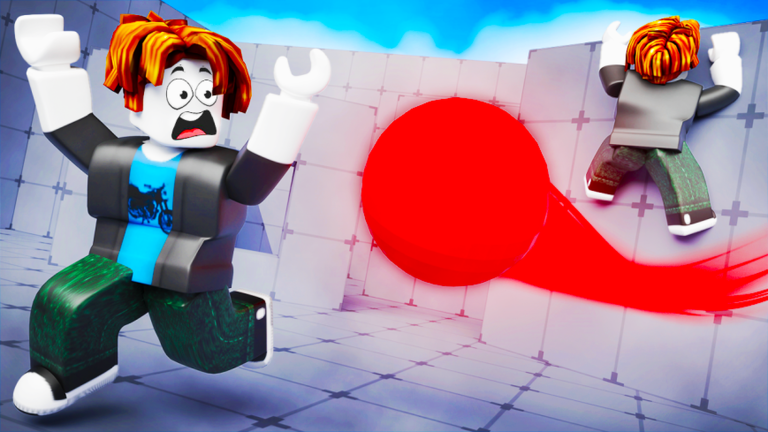
In Dodge or Die, survival depends on how quickly you read incoming balls and reposition before a one-hit elimination. Controls are built on standard Roblox movement — the same foundation used across most Roblox experiences — so veterans already know the basics. New players still benefit from a clear breakdown of what each input does, how camera angle affects dodging, and where menus like code redemption live on screen.
This hub covers PC, console, and mobile at a high level and links to our dedicated mobile controls guide for touch-specific tips. Exact keybinds can vary slightly by device, Roblox client version, or whether you use a custom control scheme in Roblox settings. When something feels different from what you read here, trust what you see in-game and adjust in Roblox’s own control options.
Core movement on PC and console
Dodge or Die uses the default Roblox locomotion model. On keyboard and mouse, WASD (or arrow keys if you prefer) moves your character forward, backward, and strafes left or right. There is no special dash button tied to the core dodge loop — your dodge window comes from positioning and speed upgrades purchased with Cash, not from a hidden ability key.
Mouse look controls the camera. In a fast arena, keep the camera pulled back enough to spot balls approaching from the sides. Sudden camera snaps can disorient you mid-round; smooth, small adjustments usually beat wild spinning when five balls converge at once.
Console players on Xbox or PlayStation use the left stick for movement and the right stick for camera. Button layouts follow your Roblox account’s controller preset. If strafing feels sluggish, check whether your profile uses default Roblox bindings or a game-specific layout — Dodge or Die does not typically override platform defaults.
Menus, codes, and UI hotspots
Outside of movement, the most important UI element for new players is the gift icon in the top-right corner. That opens the code redemption panel where you enter strings like 1KCCU, 250K, and DODGE for free Cash. See the Codes Hub for active rewards and step-by-step redemption help.
Crate openings, tool equips, and movement upgrades live in standard Roblox UI panels and shop buttons inside the arena lobby. There is no separate launcher — everything runs within the Roblox client. If a menu fails to open, rejoin the server before assuming a control bug; desynced UI is common after long sessions.
Mobile at a glance
Touch players use a virtual joystick for movement and drag-to-look camera controls on most phones and tablets. Screen size changes how much of the arena you see at once, which matters more here than in slower Roblox games. Our mobile controls page goes deeper on thumb placement, sensitivity, and playing on smaller screens without blocking your view.
Controls and progression
Better controls alone will not carry you to late-game lobbies, but they multiply the value of movement upgrades and crate tools. Speed purchases widen the gap between you and elimination balls; tools give you ways to fight back when pure dodging fails. Read Getting Started for a first-hour checklist and the Tools Hub for spending priorities after you redeem codes.
Related pages
- Mobile controls — touch layout, camera tips, and phone-specific advice
- Getting started — first arena session walkthrough
- Codes Hub — free Cash via the gift icon menu
- Tools Hub — crates, duplicates, and combat tools
- Tier list — which tools reward clean movement most
Frequently Asked Questions
Quick answers to the most common questions.
Does Dodge or Die use custom keybinds?
Core movement follows standard Roblox defaults on PC, console, and mobile. Some players remap keys in Roblox settings, but the game itself does not require a unique control sheet beyond typical WASD and mouse look.
Where do I redeem codes in Dodge or Die?
Tap the gift icon in the top-right corner of the screen, open the Codes tab, enter your code, and press Redeem. Cash is added immediately when the code is valid.
Is there a dedicated dodge or dash button?
No separate dodge key is part of the base control scheme. You dodge by moving out of ball paths, aided by movement speed upgrades bought with Cash rather than a special ability input.
Why do my controls feel different on mobile?
Touch uses a virtual joystick and drag-to-look camera. Screen size, Roblox mobile settings, and optional dynamic thumbstick placement can all change how movement feels compared to PC.
Can I play Dodge or Die with a controller on PC?
Roblox supports controllers on PC when properly paired. Movement maps to sticks the same way as console, though exact bindings depend on your Roblox controller preset.